

Symphony Core runs every client’s marketing system on one platform, builds and maintains websites on WordPress, and uses AI with a person approving the result. Around that core sit the tools we use to run the business itself: Google Workspace, ClickUp, Slack and a password manager. This post lists each tool, what we do with it, and why it earns its place. If you’re a business owner, it shows what’s under the hood. If you’re thinking of working with us, it shows the tools you’d use every day.
How Do We Choose Our Tools?
We pick a tool when it does a job we actually need done, and we drop it when it stops. Every tool here passes five tests:
- One platform for client systems. Every client’s leads, follow-up, calendar and reviews live in one place, so nothing falls between two products.
- Test before live. Changes to our website go to a staging copy first and reach the live site only after a check.
- A person approves. AI drafts much of our work. Nothing it drafts goes live on our site until a person has approved that exact version.
- Credentials stay in the vault. Passwords live in a password manager and are shared by access, never pasted into an email or a chat.
- Own it where we can. When a rented service shrinks to one or two jobs, we build those jobs ourselves.
What’s in Our Technology Stack?
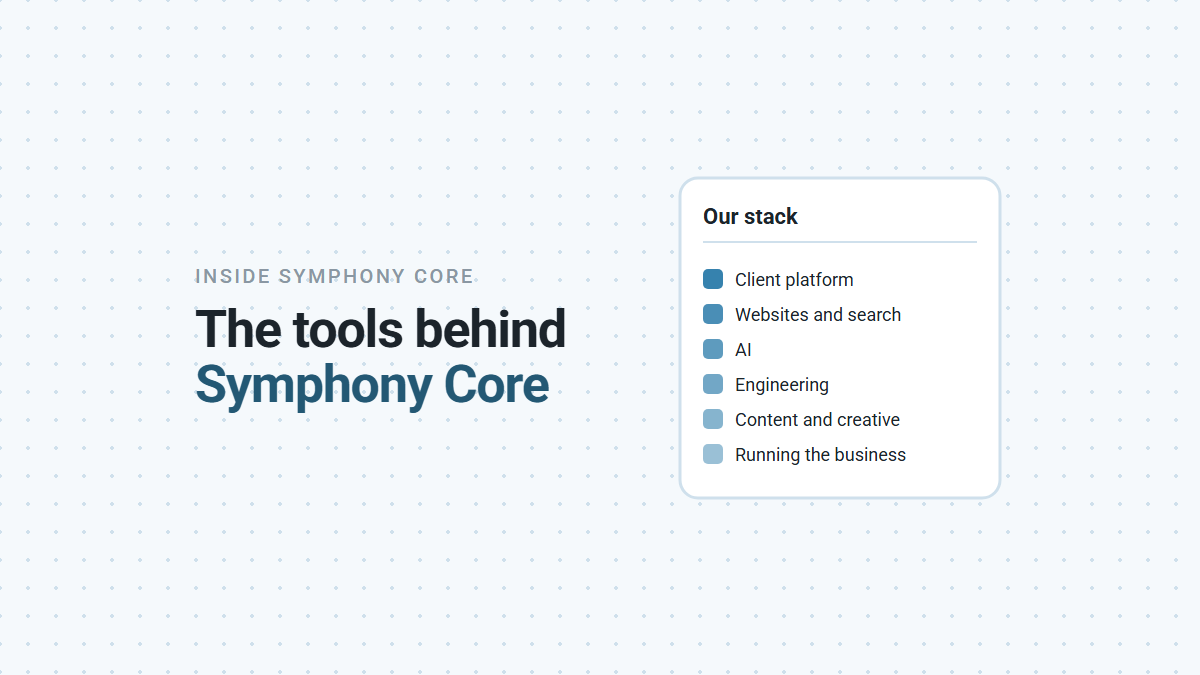
Six groups of tools, from the platform our clients log into to the ones that run our own office.
| Job | Tools | What we do with them |
|---|---|---|
| Client marketing systems | The Symphony Core platform (white-label) | Leads, follow-up, calendars, reviews and social scheduling for every client |
| Websites and search | WordPress, Elementor, Rank Math, Cloudflare, Google Search Console, Google Analytics | Build, speed up and measure websites |
| AI | Claude, Claude Code | Research, drafting and code; testing what AI says about businesses |
| Engineering | GitHub, Python and Node.js scripts | Our own tools, checks and publishing pipeline |
| Content and creative | Canva, Photopea, Responsively | Graphics, image edits and mobile layout checks |
| Running the business | Google Workspace, ClickUp, Slack, Fireflies, 1Password | Email, tasks, team chat, meeting notes and passwords |
The Symphony Core Platform
The Symphony Core platform is white-label software: an established marketing CRM that we brand and configure as Symphony Core, so our clients work with one name and one login. They use it at app.symphonycore.com, on a computer or the mobile app. We set up the pipeline stages, contact fields and calendars to match how each business sells. We connect every form, button and phone number to it, including a dedicated number with missed call text-back. Then we build the follow-up: instant replies to new inquiries, reminders before appointments, and review requests after each job. Social posts are scheduled from the same place. Here’s what we set up and run.
Websites and Search
Our site and many of the sites we build run on WordPress, laid out with Elementor. Rank Math handles each page’s titles, descriptions and structured data, with Google Search Console and Google Analytics connected so the reports sit inside the site. Cloudflare sits in front of our website and serves cached pages fast.
AI
Claude is our main AI tool, for research, drafting and analysis. Claude Code does our engineering and document work, with a library of reusable instructions for jobs we repeat, such as audits and sprint plans. We also test what AI assistants say about businesses, which is the core of an AI visibility audit.
Engineering
Our standards, procedures, templates and this blog’s source text live in GitHub, across more than 30 repositories. Small Python and Node.js scripts do the checking: they validate documents, package posts and confirm what reached the live site. Our help center at help.symphonycore.com is our own build, served by Cloudflare.
Content and Creative
Canva holds our master designs for ads and social posts, so new creatives start from a checked layout, not a blank page. Photopea handles image edits. Responsively shows a page at several phone and tablet sizes side by side, so we catch layout problems before a visitor does.
Running the Business
Google Workspace gives us email, Drive and Meet. Our work runs through ClickUp tasks, each with a clear finish line and the evidence that shows it’s done. The team talks in Slack. Fireflies captures meeting notes, so decisions are written down. 1Password holds every login, shared by vault.
How Do the Tools Work Together?
Here’s one real example: how this post got from a draft to your screen. It’s the same path every post on this blog takes, and it uses five of the six groups above.
- Drafted in GitHub. Claude Code writes the draft in our documents repository, with every factual claim checked against a source we’ve opened and read.
- Checked before packaging. Checks run on the draft: banned words, link format, US spelling and heading style. Anything that fails goes back to step 1.
- Packaged and staged. A script bundles the text, image and search settings, validates the bundle, and puts it on a staging copy of our website as a draft.
- Approved by a person. Someone reads the staging preview and approves that exact version. Any later edit cancels the approval.
- Pushed and verified. The staging site is pushed to the live site, and a final script fetches the live page as a visitor would, checking the title, description and sitemap.
That last step has caught real problems. When we published our AI visibility posts, the live check found new posts missing from the sitemap, the file search engines read to find new pages. A cached copy of the sitemap was the cause, and saving it again fixed it.
Which Tools Have We Replaced, and Why?
Two in the last six months, both because we were paying for more than we used.
- An all-in-one SEO suite. Most of its features sat unused. The work we did need, page titles, descriptions and structured data, moved to Rank Math inside each website, where the settings live with the site.
- A rented help desk. Its value had shrunk to hosting our help articles and one onboarding form. We now run our own help center and our own intake form, and the monthly fee is gone.
Neither was a bad product. They stopped matching the work, which is the moment to change.
What Does This Mean for You?
It depends on why you’re reading.
- If you run a business, your marketing runs on one platform you log into yourself, and we keep it up to date as your business changes.
- If you want to work with us, these are the tools you’d use every day. Experience with a marketing CRM, WordPress, ClickUp or AI tools like Claude is a head start, not a requirement.
- If you’re a partner, this is where we can connect: WordPress sites, Google tools and the platform’s forms and calendars.
If you’re weighing any agency, these questions show how it really works:
QUESTIONS TO ASK ANY MARKETING AGENCY ABOUT ITS TOOLS
1. Which platform will my leads and follow-up run on, and can I log in?
2. Can I see every lead and conversation in one place?
3. How quickly do you respond when something breaks?
4. Who checks AI-written work before it goes out under my name?
5. How are my passwords stored and shared?
6. When did you last drop a tool, and why?
The honest caveat: tools don’t do the work. A stack this size only helps when someone keeps it configured, current and checked, and that’s the part we do for our clients. If you’d like to see the platform running for a business like yours, book a demo and we’ll walk you through it.