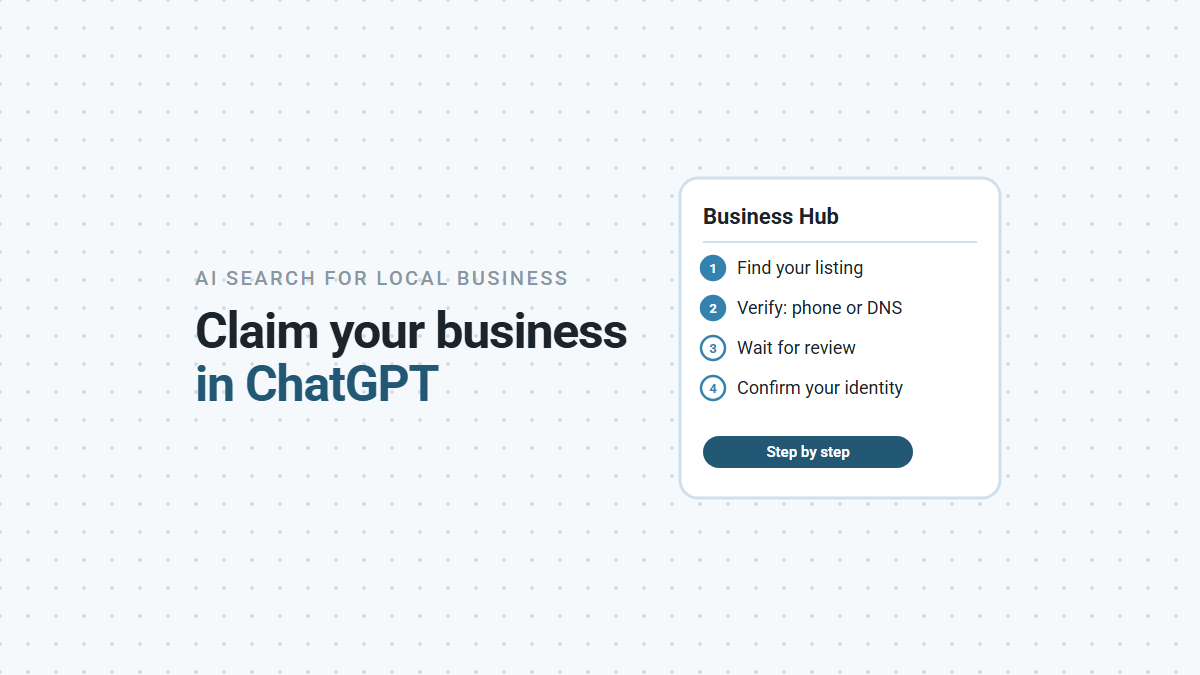

ChatGPT now lets business owners claim their listing, the way Google Business Profile does. OpenAI launched it on November 10, 2026 as Businesses in ChatGPT, in beta, through a page called Business Hub (OpenAI). You find your business, prove you’re connected to it, wait for OpenAI to approve the claim, then confirm your identity. After that you can correct some details and see how often ChatGPT shows you. We claimed our own business the week it launched. Here’s every step, what tripped us up, and what claiming doesn’t do.
What Is ChatGPT Business Hub?
It’s where you manage how your business appears in ChatGPT. Once your claim and identity check are approved, you can update your website, description, category, logo and a few policies, and see insights such as how often ChatGPT showed your business and how many people clicked through to your site (OpenAI help).
OpenAI also launched business agents, a chat that answers questions about your products. For now they’re only for US ecommerce and online-service businesses with a website. A plumber, a salon or a real estate office can claim and manage a listing, but can’t publish an agent yet.
Should You Claim Yours?
Yes, mainly so the details people see are right, and so nobody else manages your listing. OpenAI’s terms say it may show a listing for your business whether or not you claim it (OpenAI terms). You don’t need an ads account or an enterprise agreement to claim.
Be clear about what you’re getting. OpenAI says claiming “doesn’t guarantee increased visibility” or give you control over what ChatGPT recommends, and that advertising doesn’t influence its answers (OpenAI help). Its terms also say claiming doesn’t give you exclusive control over the listing: OpenAI may add to or replace your details from other sources. Claiming means you can correct the record. It doesn’t make ChatGPT recommend you more often.
What Should You Check Before You Start?
That your name, address and phone match everywhere, and which account you’ll claim with. Five minutes here saves a failed claim:
- Your details match your official records. If the identity check fails, OpenAI’s help page says to make sure the name, address and any registration or tax number match your official business records, so get them matching first. Check your Google Business Profile and website say the same thing too. One owner found an old, broken web address from their Google profile already sitting on their ChatGPT listing (Out of the Box Advisors).
- The account you claim with. The person who claims becomes the admin and can invite teammates or an agency later, each with their own ChatGPT account. If an agency manages your marketing, claim it yourself and invite them, so the listing stays with your business.
- Access to your domain’s DNS settings, or the person who manages them. You may need them (see below).
- Your ID. The identity check may ask for a government-issued ID, business registration details and proof that you can represent the business.
How Do You Claim Your Business in ChatGPT?
Find your listing in Business Hub, then verify with one of the methods ChatGPT offers. The steps from OpenAI’s help page:
- Sign in to ChatGPT and open Business Hub from the sidebar.
- Search for your business by name and select the listing that matches it.
- Choose a verification method: a code by text or automated call to your business phone, a code to your business email, a TXT record on your website’s domain, or a Shopify login.
- Wait for OpenAI to review the claim. It emails you a decision or asks for more information.
Local stores and restaurants can only claim a U.S. listing that already exists. If you can’t find yours, you can’t add it yet. If the listing says Contact support, it’s locked, and support has to give you access.
What Happened When We Claimed Ours?
Our phone number was turned down, so we verified with a DNS record, and OpenAI approved the claim the same day. We were offered two of the four methods: business phone and website domain. When we chose the phone, ChatGPT said, “This type of phone number isn’t supported for verification.” The screen didn’t say which types it accepts.
So we used the website domain instead. ChatGPT gave us a TXT record to add to our domain’s DNS settings, with an expiry time the next day, so add it promptly. We added it, selected Verify domain, and got “We’re reviewing your claim.” That evening OpenAI emailed: “The review for your business is complete. You can now edit business details on ChatGPT.”
Others have hit similar problems in the first week. One business claiming three locations on launch day found a text code that never arrived, an automated call that failed, and a DNS record that only worked on the third try. Another of its locations was approved in about 20 seconds (Out of the Box Advisors). If the first method fails, try another.
What Comes After the Claim Is Approved?
An identity check through a company called Persona. Everything else waits on it. Until it’s approved, you can’t publish changes, see insights or build an agent. The blue verified check on your profile also appears only after Persona approves you, not when the claim does (OpenAI help).
Once you’re through:
- Edit your details. OpenAI’s help page lists website, description, category, logo, delivery and return policies, and a cover photo. Our editor, for a service business, had five tabs: About (category and a description), Contact (phone, email and website), Photos, Location (street address) and Hours. It started with only our name, phone number and website filled in. OpenAI reviews each change before it appears, and ChatGPT may still draw on other sources when it answers questions about you.
- Read your insights. Mentions, website clicks and discovery topics over the past 28 days. Our dashboard also showed profile views, with a 7-day or 28-day view. For a local business, a mention counts when ChatGPT shows your business as a result, even if nobody clicks. A blank number doesn’t mean zero. It can mean there isn’t enough activity to report yet.
- Leave the rest alone if it doesn’t apply. Product feeds and agents are optional and mostly for online sellers.
Each location is claimed separately. Claiming your main brand doesn’t claim your other locations.
What Do You Agree To When You Claim?
Read OpenAI’s terms before you claim. Three parts matter most to a local business. We’re not lawyers, and this isn’t legal advice. It’s what the Businesses in ChatGPT Terms say, so you can decide with your eyes open.
| What the terms say | What it means in practice |
|---|---|
| By using Business Hub, you agree that ChatGPT may call your business on behalf of its users | ChatGPT can phone businesses for users, for example to ask about opening hours or make a reservation. OpenAI has a page to stop these calls to your number |
| The license for your basic public details (name, address, contact details, category, hours, website) is “perpetual and irrevocable” | Details you submit for display can keep being used even if you stop managing the listing. OpenAI’s help page also says support can’t delete, unpublish or hide a published profile as part of a setup or ownership request |
| You agree not to bring certain claims against OpenAI, including claims about content published on your own websites | If you have concerns about how AI companies use your website content, have your lawyer read this section first |
What If Someone Else Already Claimed It?
Open the listing’s menu and choose Dispute ownership, then prove you represent the business. You’ll go through the same Persona identity check. OpenAI reviews claims, and its policy forbids managing a business you don’t own or represent (OpenAI policy). It’s worth claiming early so you’re not the one disputing. Search Engine Roundtable’s Barry Schwartz said he was “honestly nervous about people hijacking businesses” on the new platform (Search Engine Roundtable).
Claiming gives you one more place to keep accurate, next to your Google Business Profile. We compare the two in ChatGPT Business Hub vs Google Business Profile. If ChatGPT is already getting your details wrong, here’s how to find the source, and this guide covers what actually affects whether AI assistants recommend you.
If you’d like a hand claiming your listing and keeping your details consistent across ChatGPT, Google and the rest, book a demo and we’ll walk through it with you.