
An AI visibility audit checks whether ChatGPT, Claude and Google’s AI features can find your business, describe it correctly and recommend it when a customer asks. It looks at four things: whether the AI tools can read your website, whether the facts about you agree everywhere, what the assistants actually say when asked, and which websites they rely on. You don’t need special software to run one. Here’s what each check covers, what no audit can measure, and a checklist you can work through yourself.
What Does an AI Visibility Audit Check?
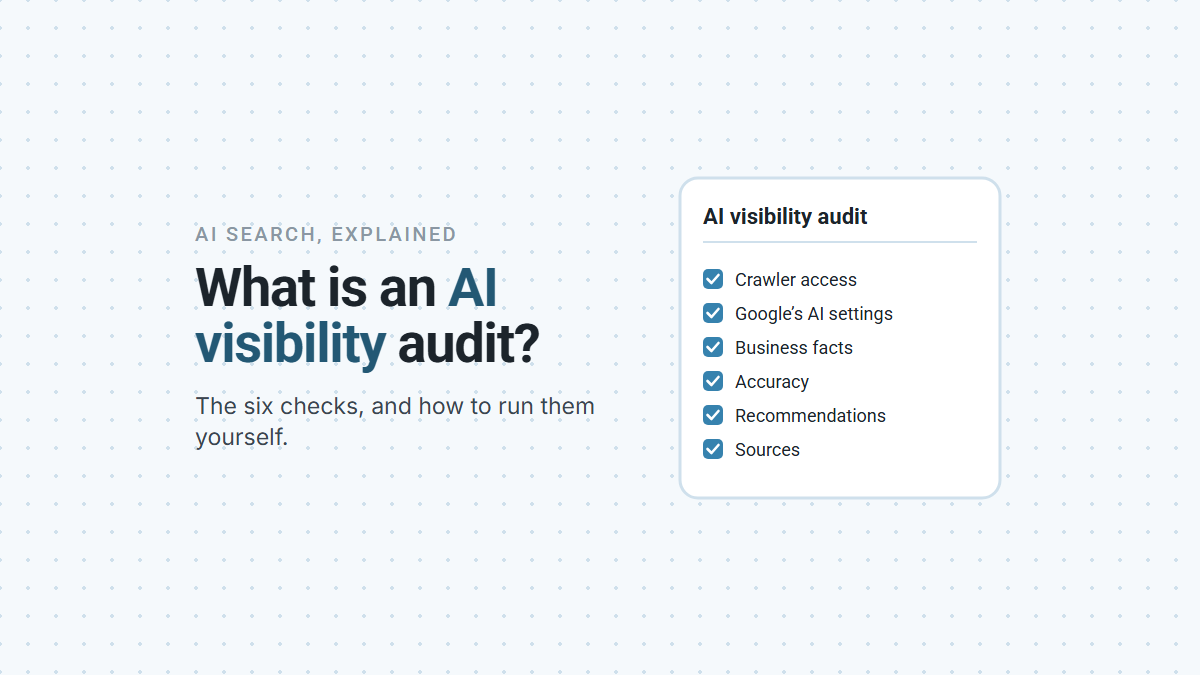
Six things, in order: crawler access, Google’s AI settings, your business facts, accuracy, recommendations and the sources behind them. Access comes first because everything else depends on it. If an assistant can’t read your site, it has to rely on everyone else’s description of you.
| Check | The question it answers | Where to look | Full guide |
|---|---|---|---|
| Crawler access | Can ChatGPT’s and Claude’s search crawlers read your site? | Your robots.txt file, Cloudflare, your host’s firewall | Is your website blocking ChatGPT and Claude? |
| Google’s AI settings | Is your site eligible for AI Overviews and AI Mode? | Search Console, and the robots tags on your pages | How local businesses show up in AI Overviews |
| Business facts | Do your name, address, phone, hours and services match everywhere? | Your website, Google Business Profile and other listings | Optimizing your Google Business Profile |
| Accuracy | Does AI describe your business correctly? | ChatGPT and Claude, with search on | ChatGPT has wrong info about my business |
| Recommendations | Are you named when someone asks for your service in your town? | The same questions, asked the same way each month | Getting recommended by ChatGPT and Claude |
| Sources | Which websites do the assistants trust for your town and trade? | The citations under each answer | The same guide |
One thing isn’t on the list: schema markup and llms.txt files. The best evidence so far says neither moves AI citations on its own, so an audit that leads with them is checking the wrong thing. Schema, llms.txt and AI search has the evidence. If terms like AEO and GEO are new to you, AEO vs GEO vs SEO explains them.
Can the AI Tools Read Your Website?
Check three places: your robots.txt file, any firewall in front of your site, and Google Search Console. Each one can shut the AI tools out while the site looks perfectly normal to visitors.
- Your robots.txt file. OpenAI says sites that opt out of its OAI-SearchBot crawler won’t be shown in ChatGPT’s search answers (OpenAI). Anthropic’s equivalent is Claude-SearchBot (Anthropic). Both should be allowed. The training crawlers, GPTBot and ClaudeBot, are a separate choice and don’t control search.
- Cloudflare or your host’s firewall. These can turn crawlers away before they ever read robots.txt. If you use Cloudflare and want to refuse AI training, pick Disallow AI Training rather than Block: Cloudflare says Block also stops Googlebot and Bingbot (Cloudflare).
- Search Console. Since August 31, 2026, every site has a Search generative AI setting. It’s set to Include by default, and Exclude keeps your site out of AI Overviews and AI Mode (Google).
Passing these checks makes you eligible. It doesn’t get you recommended. But if any one of them fails, nothing else in the audit counts.
What Do the Assistants Say About You?
Ask them, with search turned on, and read the sources they cite as closely as the answers. This is the part of the audit that shows what your customers actually see.
Ask two kinds of question. Questions about you, such as your hours, phone number and services, test accuracy. Questions a customer would ask, such as who to hire for a job in your town, test recommendations. Use a new chat for each one, ask in both ChatGPT and Claude, and ask more than once. A single wrong answer may be a one-off. The same wrong detail every time points to a source you can find and fix.
Name your town in every question. OpenAI says ChatGPT estimates where the person asking is from their internet connection (OpenAI), so a question without a town gets answered for wherever you happen to be.
Then open the sources. In ChatGPT, select a citation or Sources. Anthropic says every Claude answer that uses web search includes citations (Anthropic). Those websites are where a wrong detail comes from, and where the businesses that do get named are listed, reviewed and mentioned. They’re the most useful thing an audit turns up.
For Google, you get numbers. Search Console’s Generative AI performance report shows how often your pages appeared in AI Overviews and AI Mode (Google). Note the figures, so the next audit has something to compare against.
What Can’t an AI Visibility Audit Tell You?
It can’t give you a ranking, a guaranteed result or a single score you can trust. Be careful with any report that claims to.
- There’s no published formula. OpenAI says ChatGPT ranks search results on several factors and that “placement is not guaranteed” (OpenAI). Google says “no third-party tool has access to our internal ranking or AI systems” (Google). A score out of 100 is somebody’s own formula, not the assistants’.
- Answers change. The same question can get a different answer from one chat to the next, and from one town to another. An audit is a snapshot. A pattern across several months tells you more than one check.
- The model’s memory lags. What a model learned in training stops at a cutoff date (OpenAI), and it only changes when a new model comes out. Search answers can pick up a fix once the corrected page is crawled again.
- Patterns aren’t causes. In an Ahrefs study of 75,000 brands, how often a brand was mentioned across the web tracked closely with its AI visibility (Ahrefs). That’s a strong hint about what matters, but Ahrefs says itself that it’s a correlation.
So a good audit gives you a list of things to fix and a baseline to check against. It doesn’t give you a grade.
How Do You Run an AI Visibility Audit Yourself?
Work through the checks in order, write down what you find, and repeat the questions every month. Here’s the whole audit as one checklist:
AI VISIBILITY AUDIT
Business: ____________   Town: ____________   Date: ________
1. CRAWLER ACCESS
[ ] yourdomain.com/robots.txt has no "Disallow: /" under
    OAI-SearchBot, Claude-SearchBot or "User-agent: *"
[ ] Cloudflare (if used): Search and Agent not blocked;
    Training set to "Disallow AI Training", not "Block"
[ ] Host or developer confirms the firewall doesn't block
    OpenAI's or Anthropic's published crawler addresses
2. GOOGLE'S AI SETTINGS
[ ] Search Console: Settings > Search generative AI says "Include"
[ ] No noindex or nosnippet on pages you want found
3. BUSINESS FACTS
[ ] Name, address, phone, hours and services identical on your
    website, Google Business Profile and every other listing
[ ] Services, towns and hours written as text on your pages
4. ACCURACY (new chat each time, search on, ChatGPT and Claude)
[ ] "What are the hours and phone number for [business] in [town]?"
[ ] "What services does [business] offer, and where?"
[ ] Note every wrong detail and the source cited for it
5. RECOMMENDATIONS (same rules)
[ ] "Who is the best [service] in [town]?"
[ ] "Who should I hire to [job] in [town]?"
[ ] Note whether you're named, and who is named instead
6. SOURCES
[ ] List the websites cited across all answers
[ ] Mark the ones where you're missing, wrong or unreviewed
[ ] Search Console: note Generative AI performance report figures
FIX IN THIS ORDER: access, then facts, then the cited sources.
Repeat the last three sections monthly, with the same questions.
The honest part: an audit tells you where you stand, and it doesn’t change anything by itself. What moves the result is the slow work it points to: accurate listings, reviews that describe your work, and other people talking about your business. Run the same checks again in a month and compare.
If you’d like a second pair of eyes on what your audit turns up, book a demo and we’ll go through it with you.